Smart TV Buying Guide: What is a Smart TV? | Smart TV Features

Smart TV Buying Guide: What is a Smart TV? | Smart TV Features

Smart TV Buying Guide: What is a Smart TV? | Smart TV Features

TV Features

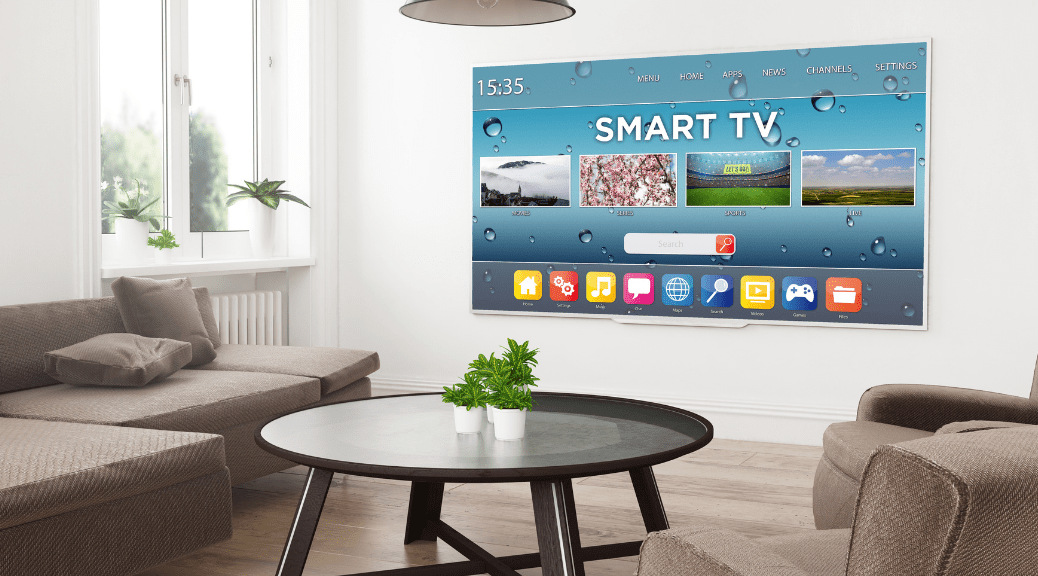
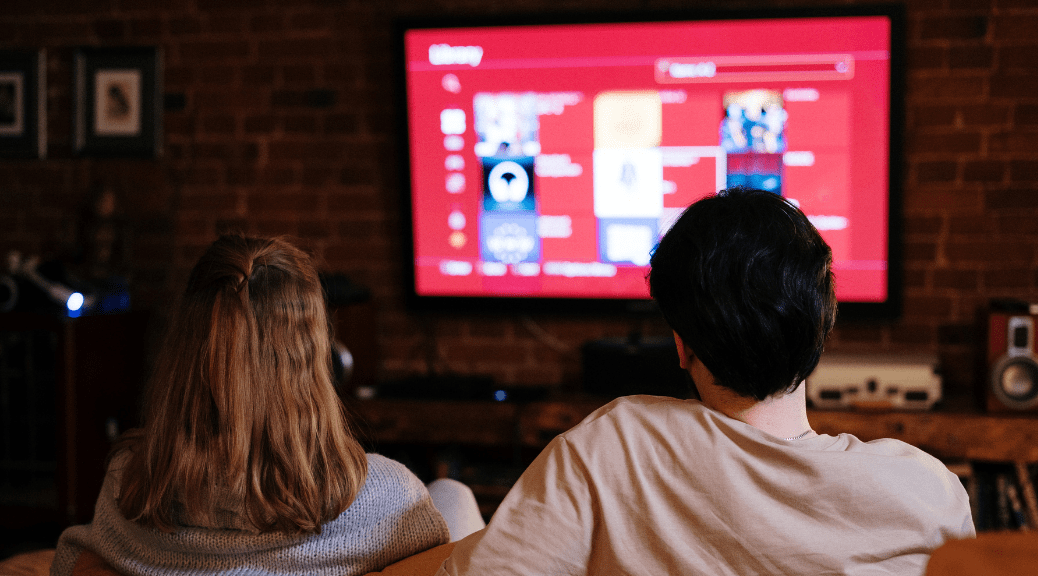
A Smart TV is an internet-connected television that offers a range of online features, such as on-demand content from apps like BBC iPlayer, ITV Hub and All 4. It has access to streaming video services like Amazon Prime and Netflix, and the ability to connect to other wireless devices like smartphones. These internet-connected Smart features help you get much more out of your television. Many Smart TVs also let you go to social media sites such as Facebook and Twitter, and several support casual games as well. A growing number of Smart TVs have full web browsers that let you go almost anywhere on the internet. Penetration of Smart TVs will achieve relative parity with streaming media players as platforms delivering apps to TVs. Many Smart TVs come with point-and-click remote controls that can manage onscreen interactions using hand motions or by responding to your voice commands.

SMART TV FEATURES THAT YOU SHOULD CONSIDER BEFORE BUYING ONE:

PROCESSOR, RAM AND ROM OF A SMART TV

A Smart TV should have a high-speed processor so that it can run online videos smoothly on the screen while maintaining the resolution. The TV should also be equipped with relevant apps and adequate connectivity options along with HDMI and LAN ports. Ensure that the Smart TV has wi-fi support or an Ethernet port so that it can be connected to the internet. As already mentioned, more than one port would be an advantage. Look for pre-installed browsers and applications. A Smart TV having at least 1GB random-access memory (RAM) and 4GB read-only memory (ROM) will give you seamless performance.

INTERNET CONNECTION

You’ll need an internet connection to get your Smart TV online. Most Smart TVs are now wi-fi-enabled, meaning you can wirelessly connect them to your internet router and other devices like smartphones. Some older models require a brand-specific wi-fi adaptor, which usually slots into one of the USB ports. You can also connect your TV using an Ethernet cable, but if it’s not close to your router then you’ll need a long lead or a power line adapter. Of course a decent broadband speed is essential if you want to stream video, and a super-fast speed is preferable. For example, if you want to stream 4K ultra HD content on Netflix, you’ll need at least 25Mbps to get the best experience. Also, go for an unlimited broadband package so you can avoid any extra changes for exceeding your data limit while streaming.

WHAT ARE THE SECURITY RISKS OF A SMART TV?

This is where the pros and cons of keeping a Smart TV connected become a little harder to answer. Once a device goes online, it’s vulnerable – and your TV is no exception. However, you need to consider whether or not nefarious types would even be interested in cracking into your TV. Things have improved over the years. Some brands make a point of highlighting security features in their TVs, for example. As of now, protections like third-party anti-virus software that you can get for your PC isn’t really available for Smart TVs.

So, yes, TVs can be compromised, and they are full of personal information that may be tempting to cyber-criminals. Whether they’ll actually want to bother, however, is another story. At the other end, what we as consumers can do is practice constant vigilance and stay updated.

You can also refer to the TV Buying Guide to know what other features of Smart TV are important to consider before buying one.

Consumer VOICE compared 20 models of 8 brands of 32 inch Smart TV to help you find the one that suits your requirement.

Related

Smart TV Converter | Convert TV to Smart TV

Smart TV Converter | Convert TV to Smart TV

Smart TV Converter | Convert TV to Smart TV

Smart-TV

People who own a normal television set with none of the features offered by smart TV often wish that they had a smart TV, but in most cases, they can’t afford the added expense. If you are among such people and you are hoping to convert TV into Smart TV, then you should know that there are many simple ways to do just that. They are mentioned right here.

  • PONDER STREAMING BOXES

The first option you have when looking for a smart TV converter is to invest in streaming boxes. They are basically plug-in devices that allow you to turn TV into Smart TV by not spending a lot of money. As there are many branded TV streaming devices available these days that include names like Apple TV, Amazon FireTV Stick, Roku, and Google Chromecast among others, you can pick any of them to make your ordinary TV a smart TV within a few minutes. As all these options allow you to get video-on-demand, access catch-up TV and avail different internet apps when you are connected to the television and a Wi-Fi network, you will be smart to consider this option.

  • INVEST IN A SET-TOP BOX

The second option you can use to make TV smart is to invest in a set top box which has the pre-installed hardware, apps, and channels. Some examples of such set-top boxes include Android TV boxes, Apple TV, Roku Boxes and a few Blu-Ray players. If you go for Blu-ray players manufactured Sony and Samsung, you will get access to smart TV capabilities like Netflix and Wi-Fi connectivity.

  • BUY AN HDMI DONGLE

Those of you who are seeking the cheapest method to convert TV into Smart TV must know about an HDMI dongle. It is a simple memory stick that allows a normal TV to function just like a smart TV. For this device to work on your TV, your TV must have a USB port and an HDMI port. The dongle, once connected will let you connect to the internet and download different media types. Some examples of dongles you can consider are EZCast and Chromecast.

  • CONSIDER YOUR VIDEO GAME CONSOLE

If you have a gaming console at home like PS4 or Xbox One, you can use them to get access to smart TV capabilities. All you need to do is to install apps like YouTube, Amazon Instant Video, Netflix, etc. Consoles like Xbox 360, Wii-U and Playstation 3 also provide you with multimedia functionality.

  • USE YOUR TABLET OR LAPTOP

If your laptop or tablet has an HDMI port, then also you can turn TV into smart TV. Also, remember that you might need an additional VGA cable to ensure that your laptop or tablet is connected to a TV. Once, the laptop and TV are connected, you can play high-quality games or stream content in different formats.

  • TRY A HOME THEATER PC

People who are not afraid to invest lavishly while hoping to convert TV to Smart TV can consider buying a home theatre PC that will have a software specially made for connecting to a TV. It will also include infrared ports that allow the use of remote control and have the ability to read different formats of media files. If you are wondering about aesthetics, then you should know that a home theater PC will be available in a small case which you can discreetly fit under the TV.

You can also refer to the TV Buying Guide to know what other features of Smart TV are important to consider before buying one.

Consumer VOICE compared 20 models of 8 brands of 32 inch Smart TV to help you find the one that suits your requirement.

Related

Things to Keep in Mind Before Buying your TV

Things to Keep in Mind Before Buying your TV

Things to Keep in Mind Before Buying your TV

smart tv

There are several things that you need to keep in mind while buying your TV. These days one is spoilt with choice whether it is brand, size or technology. However, there are still two important factors that one needs to keep in mind before thinking of buying a TV.

ASSEMBLED TVS

These days you can find dealers in the retail market stocking assembled TVs without any brand name but are replicate copies of branded TVs in terms of packaging, labels, features, physical look and smart features. Most assembled TVs are made to look like popular brands. Be careful about being persuaded by the cost, which may be as much as 50 per cent cheaper as compared to popular branded TVs, as these come with no/limited warranty and have limited life too. Moreover, authorized dealers of the brand will refuse to repair these counterfeit items. You will be dependent on local service mechanics.

TV LIFE

With introduction of LED/LCD TVs, it has been found from consumers that TVs go unserviceable, especially the display panel, in a much shorter period as compared to the earlier CRT-based TVs. The replacement of a new and genuine display panel costs between Rs 8,000 and Rs 10,000 rupees depending upon panel size. If possible, avoid going for expensive TV models as these may not last as long as CRT TVs. On the other hand, take an extended warranty or go for AMC if you are going ahead with an expensive TV.

Related

How to Choose Your TV Channels Wisely

How to Choose Your TV Channels Wisely

How to Choose Your TV Channels Wisely

smart tv channel

Selecting channels for cable TV based on a consumer’s preference was limited in the last few years. A consumer was bound to buy channels in packs and pay for even the channels that he or she didn’t want. Now, the tables have turned in favor of the consumer as TRAI has created a new framework and implemented it. The consumers are given the power to select which channels they want and are not bound to pay for channels that they don’t need.

If you want to make the most of this new power of selecting channels for cable TV and need some assistance, then do read on to know some tips on how to choose your TV channels wisely.

ASK EVERYONE’S OPINION

The first thing you need to do when selecting channels for cable TV is to ask everyone in your house, be it your family members or your roommates about which channels they need. This will help you to choose the channels wisely, and you will not need to change your choice of channels later on just because you didn’t include a family member or a roommate in the process.

DON’T PAY FOR PROBABILITIES

While selecting channels for cable TV, make sure that you pay for channels that you need and not select the channels that you might watch some day. For instance, if you plan to learn cooking some day and planning to include cookery-based channels in the pack, don’t do that until you have the time to learn cooking. Remember, if you don’t watch a channel but include it in the pack, you will have to pay for it. A smart idea would be to skip the cookery channels for now and add them in when you have the time to spare.

REMEMBER THE COSTS

You need to pay a new Network Capacity Fee of INR 130 (plus GST) for 100 channels. So, make sure that you keep the number of channels you select to a minimum as the NCF will increase when the numbers increase. For instance, you need to pay NCF of INR 20 for a slab of 25 channels if you choose 125 channels instead of 100.

YOU CAN’T AVOID FREE CHANNELS

You get 25 free channels in your pack, and you can’t avoid them. These channels are pre-chosen, so you just have to bear with them or simply ignore them. They are the DD channels.

HD VS. SD

If you choose one HD channel, it will be counted as two SD channels. So, make sure you keep the number of HD channels to a minimum if you want to save on TV DTH costs.

CHANNEL BOUQUETS ARE EXPENSIVE

Channel bouquets created by the broadcasters like Star Network are expensive so you better not be tempted by them unless of course, you want to see every channel available in the bouquet (which is rare).

If you need more help in selecting channels for cable TV, make sure you visit the website or app of the cable operator, log in there and create your pack. It’s easier than you think!

Related

Streaming Devices to make your TV smart

Streaming Devices to make your TV smart

Streaming Devices to make your TV smart

Smart-TV

If you don’t want to splurge on a smart TV, there are more affordable ways to get internet services on your current television. These include streaming boxes, which are a wide range of plug-in devices that allow you to transform your standard TV into a smart TV at a fraction of the cost. Well-known streaming devices include the Amazon FireTV stick, Google Chromecast, Apple TV and Roku, and all can access video on-demand, catch-up TV and other internet apps when connected to your television and home wi-fi network. The most important thing to check is which streaming services come with your box. If your favourites are not there, maybe think twice.

Some manufacturers have developed their own smart-TV platforms, while others may use a licensed system, such as Android TV from Google. A TV with built-in smarts can make accessing content easy—there’s only a single remote control—but a separate streaming media player may have more content options, or use an interface that makes finding and accessing content easier.

HOW MANY GB OF DATA IS NEEDED TO WATCH A MOVIE?

Watching movies or TV shows on Netflix uses about 1 GB of data per hour for each stream of standard-definition video, and up to 3 GB per hour for each stream of HD video. Thus, watching a movie will consume about 7 to 8 GB of data.

STREAMING SERVICES AND COSTS

Netflix is the major streaming option for home television audiences. It is the world’s top video-streaming service that allows users to watch content on screens ranging from smartphones to smart televisions. Netflix subscription plans in India start at Rs 500, Rs 600 and Rs 800 per month. The first-month subscription is free. Hotstar’s premium offering costs Rs 199 per month, while Amazon Prime offers unlimited content for just Rs 129 per month or Rs 999 per year.

ADVANTAGE OF USING STREAMING DEVICES

We buy expensive tickets for premium theatres (on an average anywhere between Rs 200 and Rs 500, or even higher) and that’s all right, but we can have our home theatre too which we can avail at our ease. Here are some awesome reasons that should convince everyone why it is better to watch movies at home than in a theatre:

  • You save money on tickets, food and travelling.
  • The remote control is in your hands.
  • Nobody can ruin your movie experience.
  • The ambience is as per your choice and taste.
  • Not every movie is easy to understand and at home you can pace it accordingly.

Related

Air Conditioner

Air Conditioner

Air Conditioner

Ohh that soothing cool air on a hot and humid day – only the best AC can do the job!

Solar Rooftop System

In a country like India where temperatures rise to 47 degrees C and even more at some places, AC is no longer a luxury. It has almost become a necessity.

From a split AC to a window AC, the market is flooded with different types of AC to suit every household.

Consumer VOICE experts review will help you choose the best AC!

Reviews

Articles

Stay Cool with the Best Inverter AC

Check Noise Level, Capacity, Star-rating, and After-sales to Buy an Inverter AC This Summer You don’t go to buy an air conditioner every day....

Related

TV

TV

TV Television is no longer an idiot box!From watching movies to serials, to getting live news, television is still one of the most sought after...

read more

Enquire Now

    X
    Enquire Now